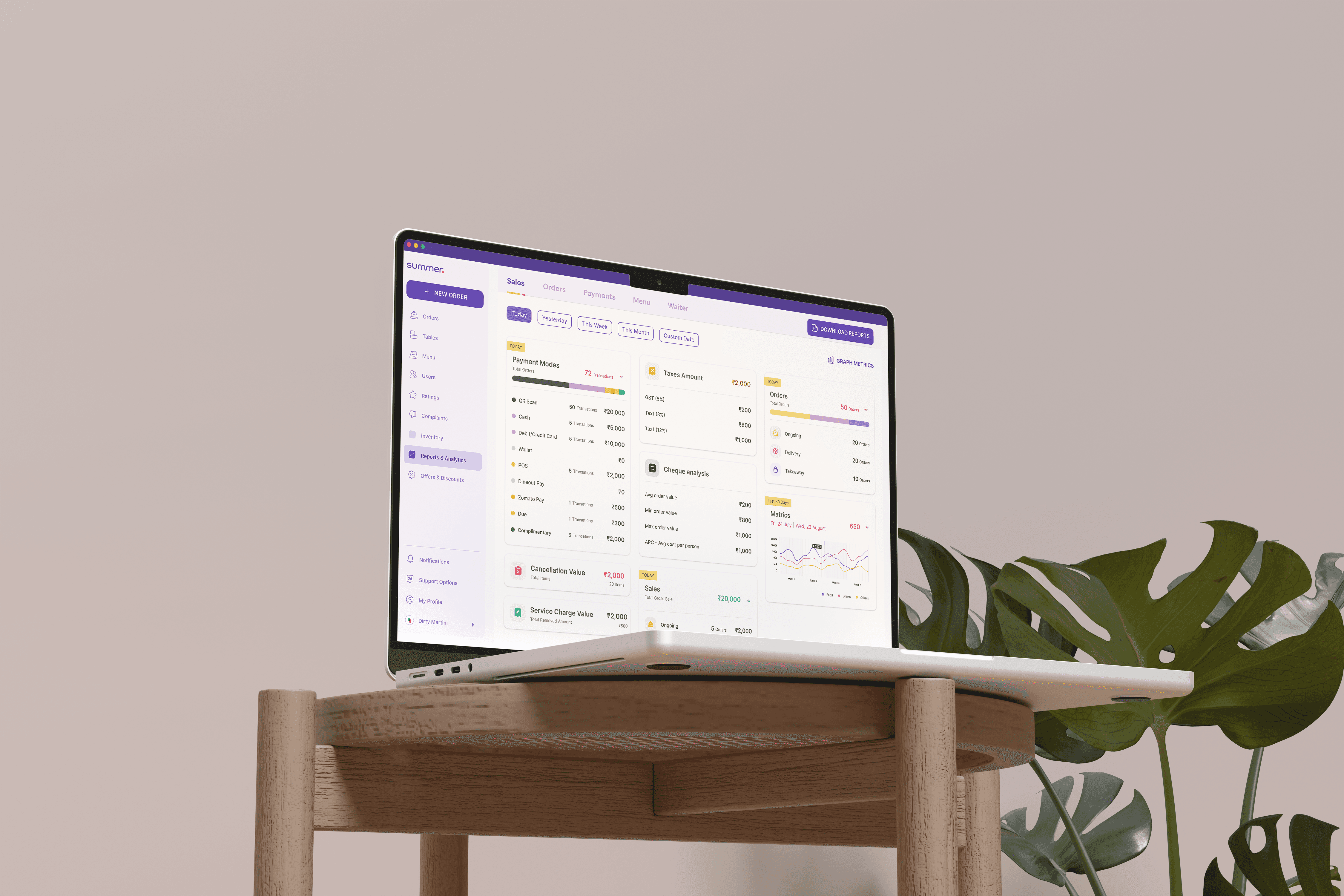
The need for a refresh?
Complex User Interface
The current product's UI appears outdated and cluttered, lacking clear spacing and hierarchy, which hampers user efficiency, particularly for occasional users.
Poor User Experience
The product's usability was hindered by navigation challenges and complex workflows, stemming partly from the design issues.
Brand Refresh
A brand refresh meant, Summer's product needed necessary changes to align with the updated branding, to ensure consistency and coherence with the refreshed brand image.
01
Competitor Analysis
We conducted a thorough market analysis focusing on key competitors such as POSist, PetPooja, Tally, and LimeTray. This examination provided valuable insights into market trends and different approaches to POS solutions.
By identifying strengths and weaknesses, we gained actionable intelligence to inform our product development. This strategic analysis positioned us to capitalize on successful strategies and address the evolving needs of our target market effectively.

POSist
Relatively higher price especially for smaller restaurants
Highly complex system, higher learning curve required
No customization features
Complaints about responsiveness
Feature rich platform with comprehensive functionalities.
Robust reporting and analytical features
Gets easier to use once you learn the platform
Supports a wide range of hardware devices.

TALLY
Primary focus on accounting, not fully dedicated POS
Interface and terminology complex for users without experience
Mobile access for the platform is bad
Software integration features are limited
Trusted accounting software with strong reputation in the market.
Versatile platform
Extensive customization options available

PETPOOJA
No customization features
Complex UI, with moderate learning curve
Some common flows take a long time, not efficient especially for larger restaurants
Integration features are limited
Least complex user interface compared to the competitors
Reliable customization features
Trusted by a large number of restaurants
Comprehensive features from billing to inventory

LIME TRAY
Not suitable for larger businesses
Advanced functionalities are missing, like analytics and inventory management
Support features are limited
Very limited offline functionality
Extensive customization features available
Versatility, available on both Mac and Windows
Loyalty program to enhance customer engagement
02 / PROCESS
Improving assigning efficiency by more than 62%
Managers perform actions on the review items from the users. After numerous ideation phases on how to present the wealth of information, leading to a refined design we subjected it to user testing.
While the received feedback was positive, we identified an opportunity for enhancement. The inclusion of thumbnails significantly sped up and simplified the managers ability to swiftly identify users requesting resources.
The post-user testing results showcased a 62% increase in efficiency. The additional time and effort invested in refining helped in achieve better results.
User Data from Research
92%
have a touch based device
99%
use right hand(even if non-dominant)
81%
wanted the experience to be better
56%
said, colors make their actions easier
70%
use Summer on desktop, tablets
01/
Enhanced user Interface
Improving visual language is crucial as even top competitors lacked intuitiveness and faced major usability issues.
02/
Offline Functionality
To ensure uninterrupted operation even in areas with unreliable internet connectivity, preventing disruptions to restaurant operations during downtime.
03/
Intuitive Order Management
Implement an intuitive order management system with split bill options, and seamless integration with kitchen displays to streamline ordering.
04/
Online Ordering Integration
Integrate seamlessly with online ordering platforms to enable restaurants to accept orders from their website or third-party delivery services.
05/
Integration with Hardware
Ensure compatibility with a wide range of hardware devices, including POS terminals, printers, and card readers, to provide flexibility and ease of setup.
06/
Table Management
Integrate advanced table management features to help restaurants efficiently manage seating, track reservations, and optimize table turnover rates.
Laying down the info
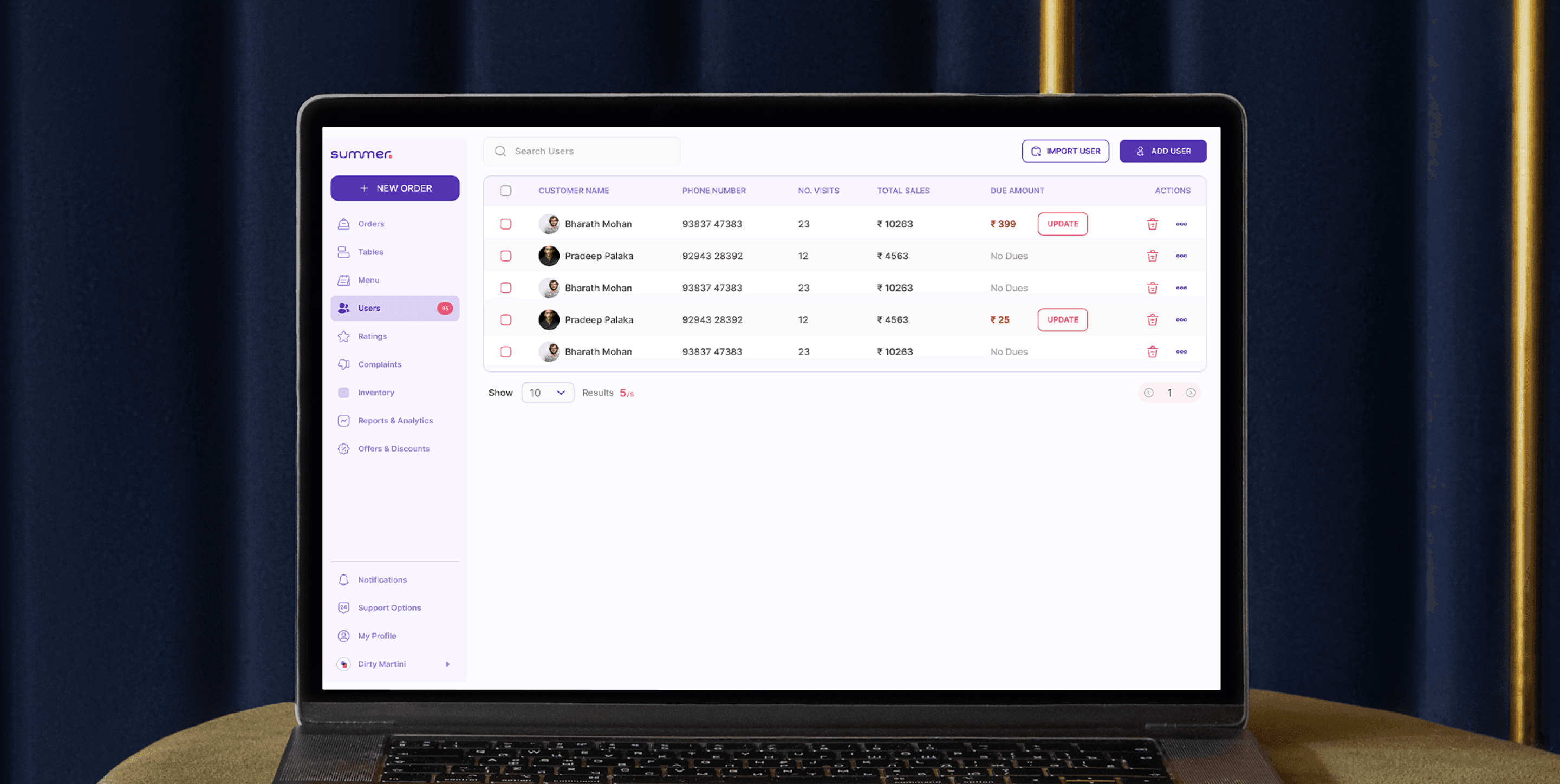
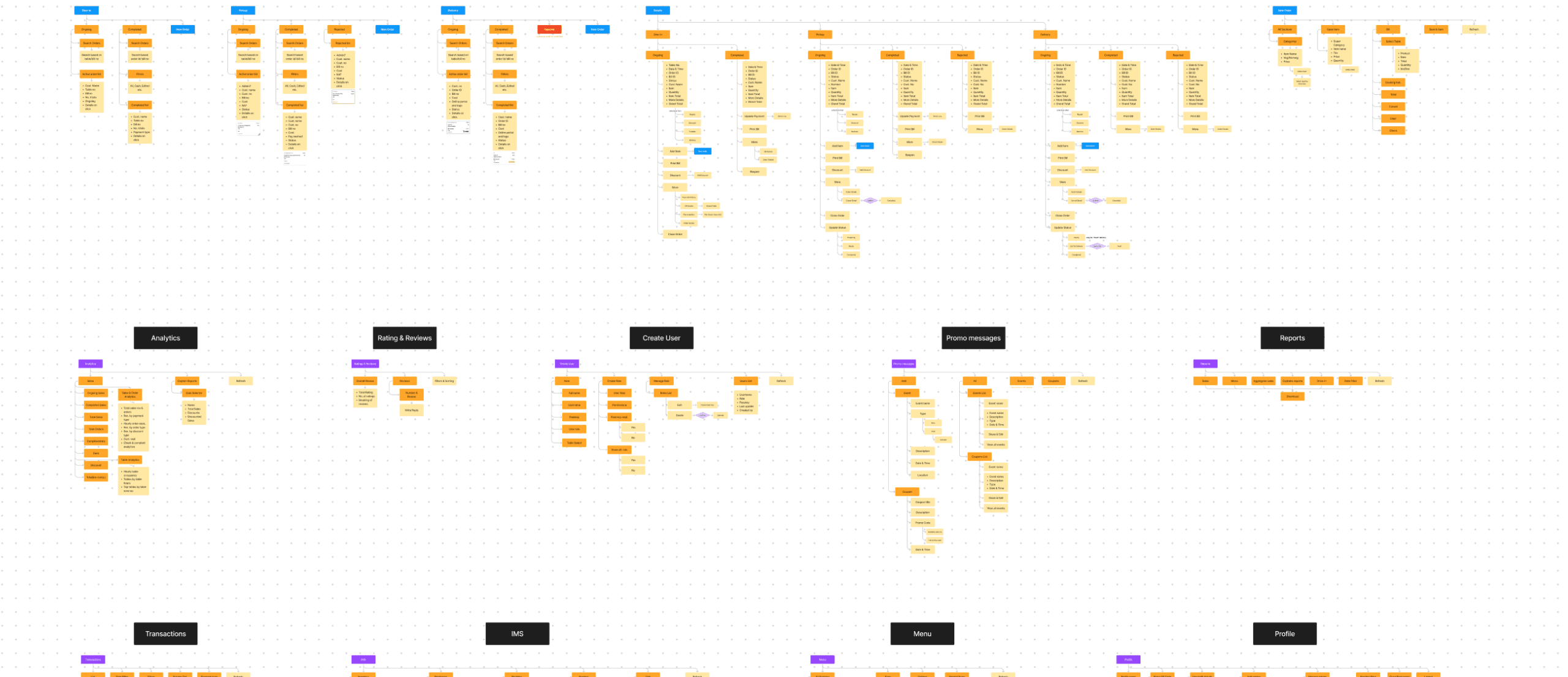
We began by conducting a thorough assessment of the current information architecture, identifying areas of inefficiency and opportunities for improvement.
Our analysis revealed existing issues and provided insights into potential solutions. Leveraging this information, we developed an updated information architecture, incorporating solutions tailored to address identified challenges and enhance user experience. This process involved restructuring and refining the IA to optimize navigation, streamline access to key functionalities, and improve overall usability.
04
The Design System
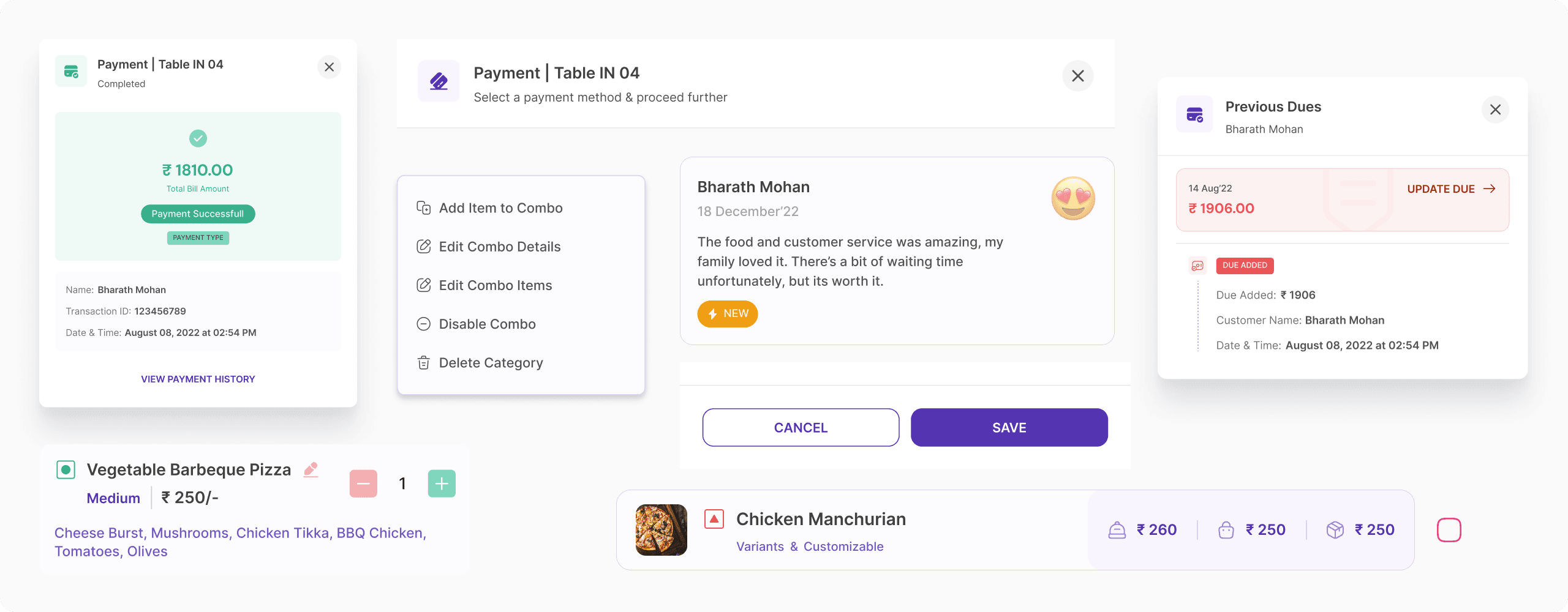
A design system was of the utmost necessity for Summer, to ensure consistency, efficiency, scalability, collaboration, brand identity, and accessibility in its product design and development processes.
By providing a cohesive framework of design elements, guidelines, and principles, the design system will foster a unified user experience across the platform. This not only enhances usability and brand recognition but also streamlines the design and development workflow, enabling rapid iteration and adaptation as the product evolves.
05
Managing Tables and Sections
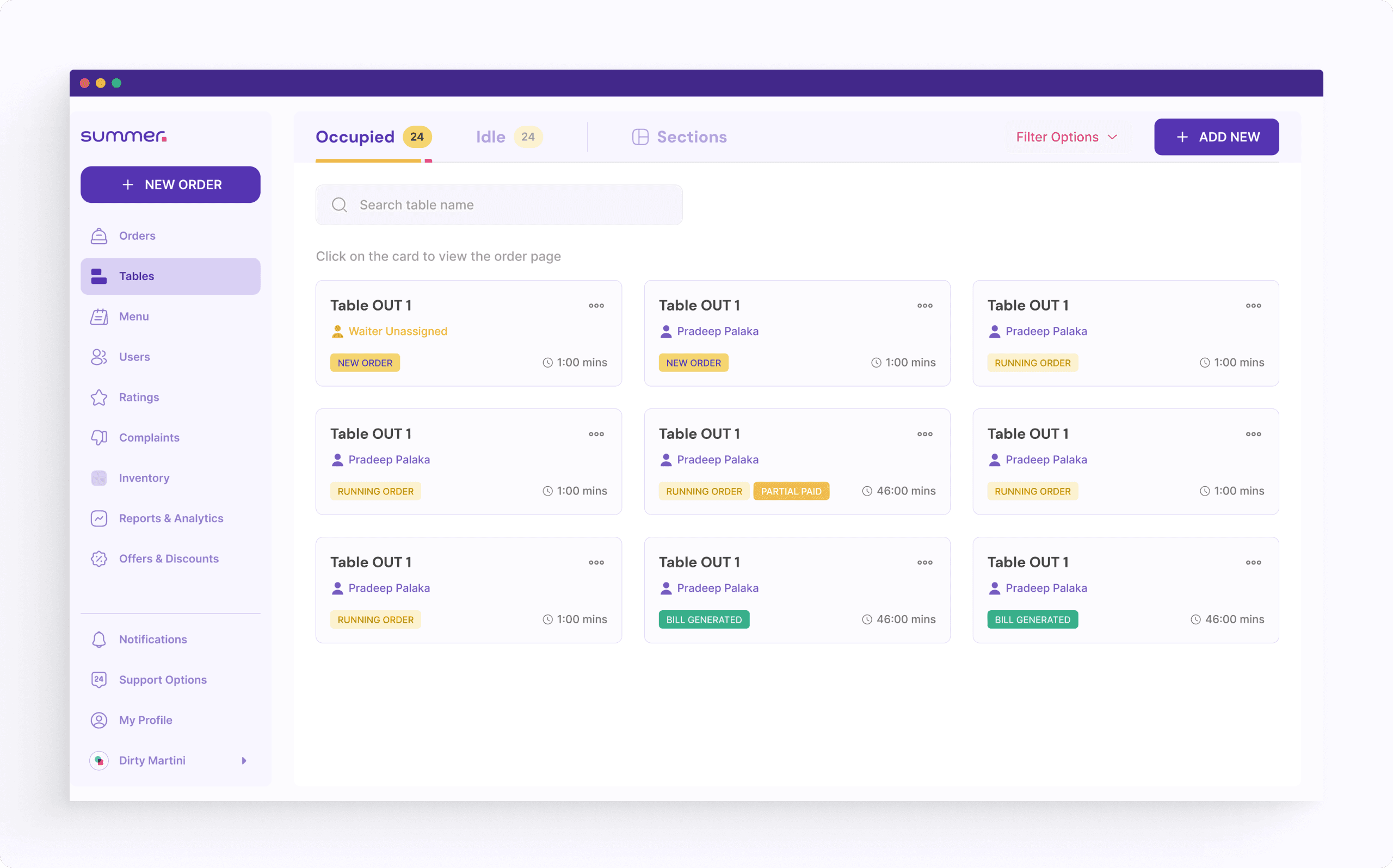
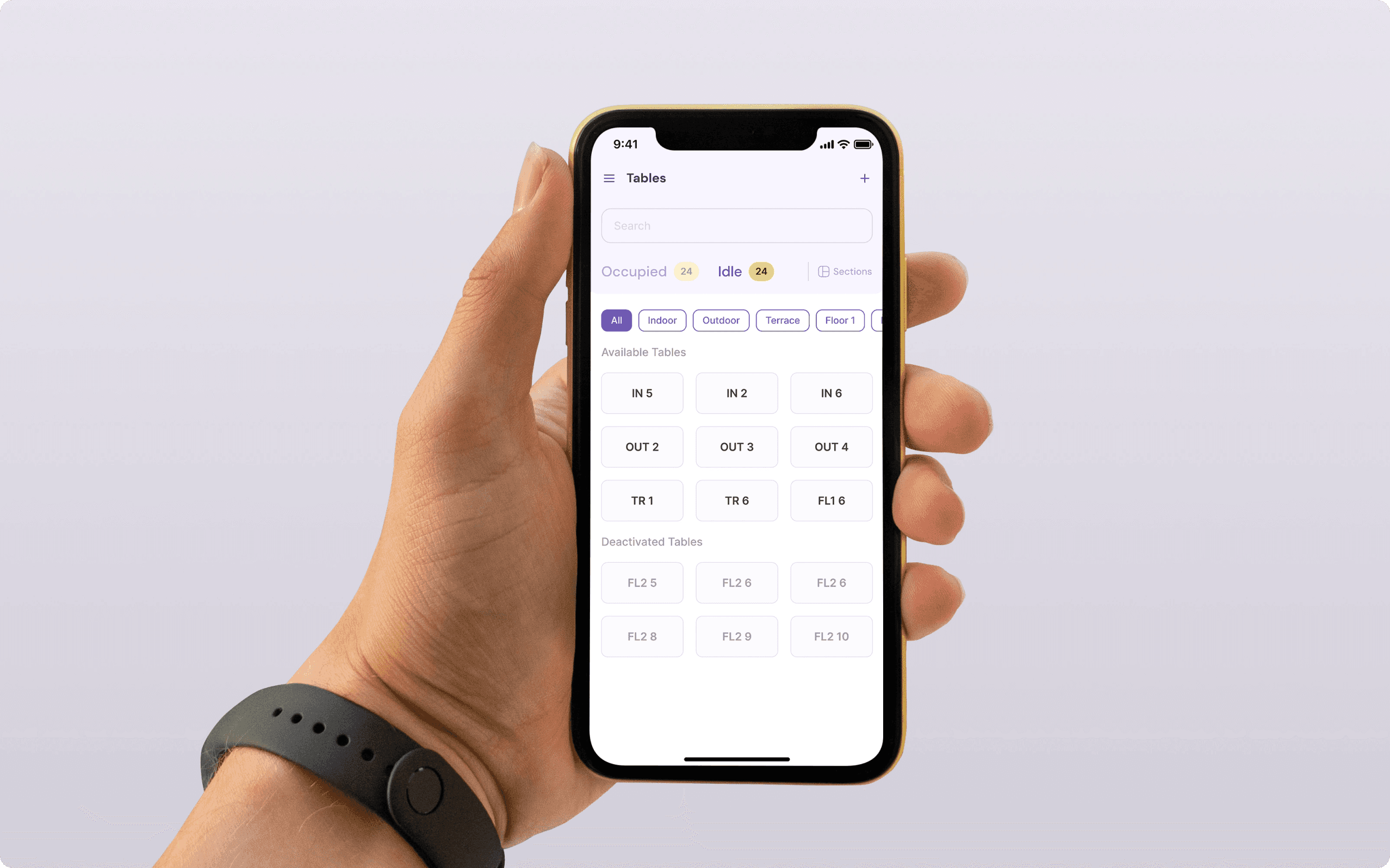
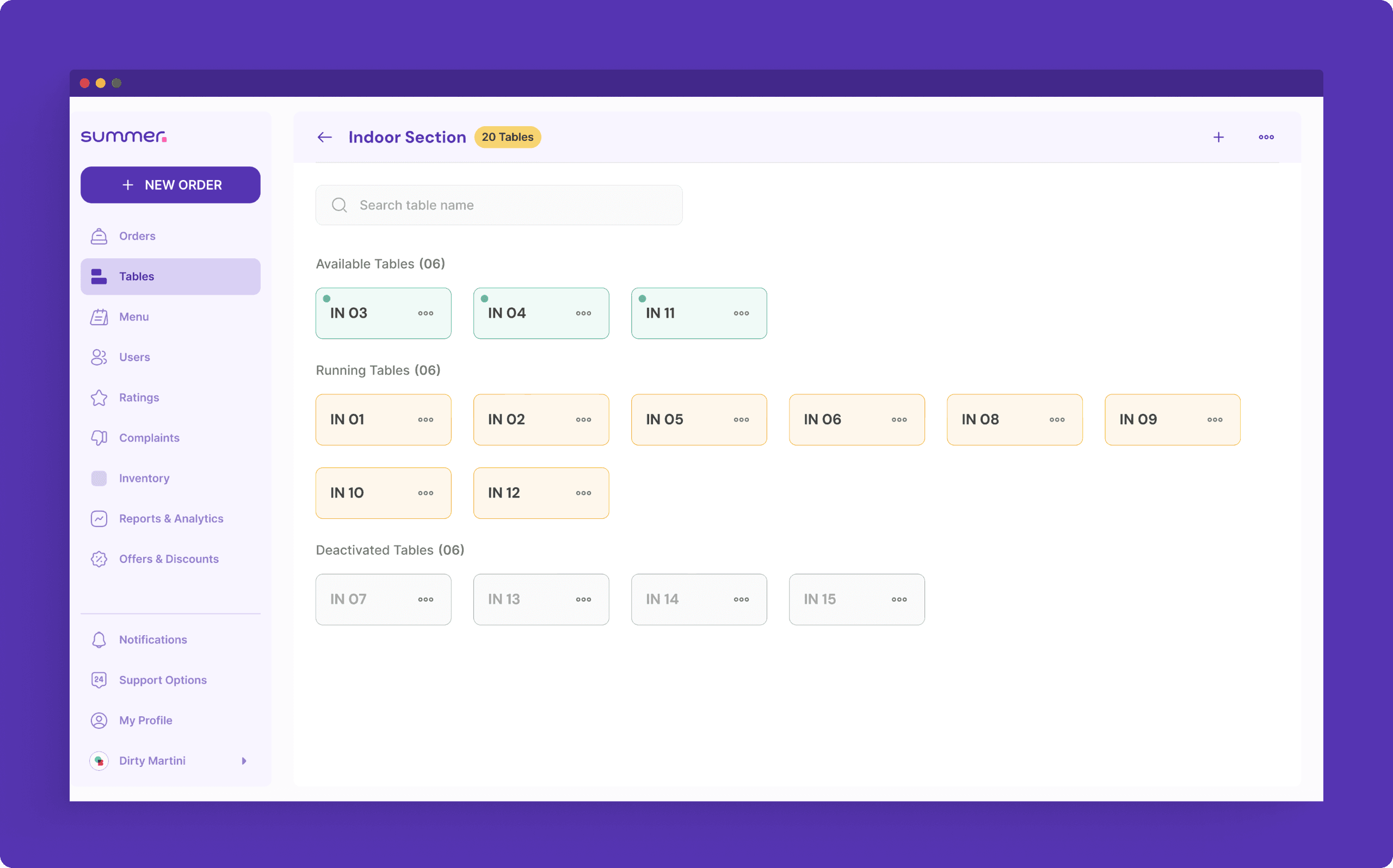
Managing tables and sections within the restaurant was a critical user requirement, particularly the need for real-time status tracking of each table without relying solely on waitstaff. We engaged in iterative design processes, generating numerous variations that were subsequently subjected to rigorous testing.
Test results provided valuable insights into missing elements and areas for improvement, informing subsequent iterations. This iterative approach persisted until achieving a satisfactory output that effectively met user needs and expectations.
01
Displaying the assigned waiter upfront empowered managers waiter assignments and operations, facilitating efficient monitoring of performance and workload distribution.
02
Showing how long a table has been running helped users with optimizing table turnover and improving waitlist management.
03
Segmenting sections into categories streamlined table identification, facilitating quicker access to the desired tables and enhancing operational efficiency.
06
Managing Orders
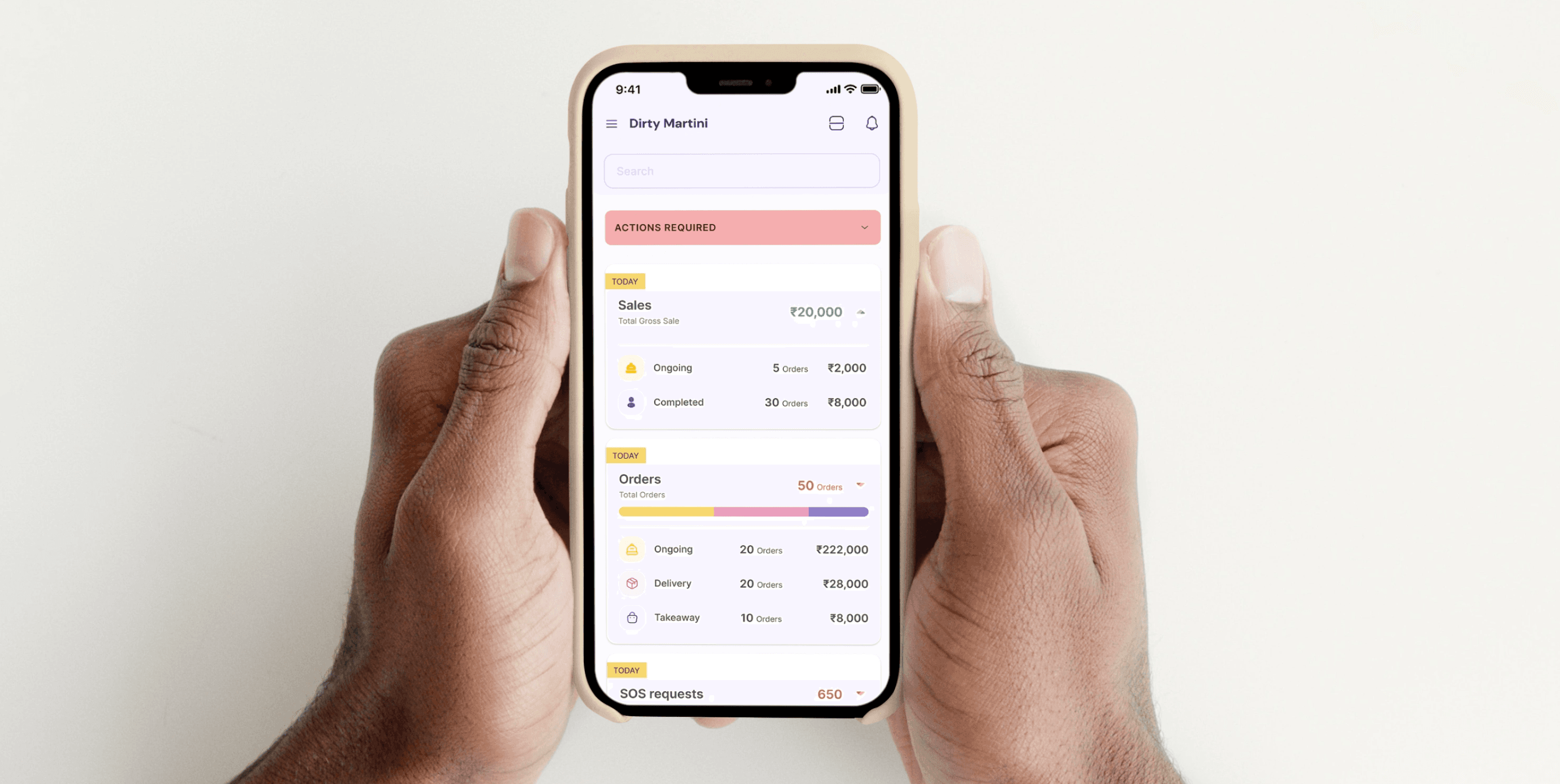
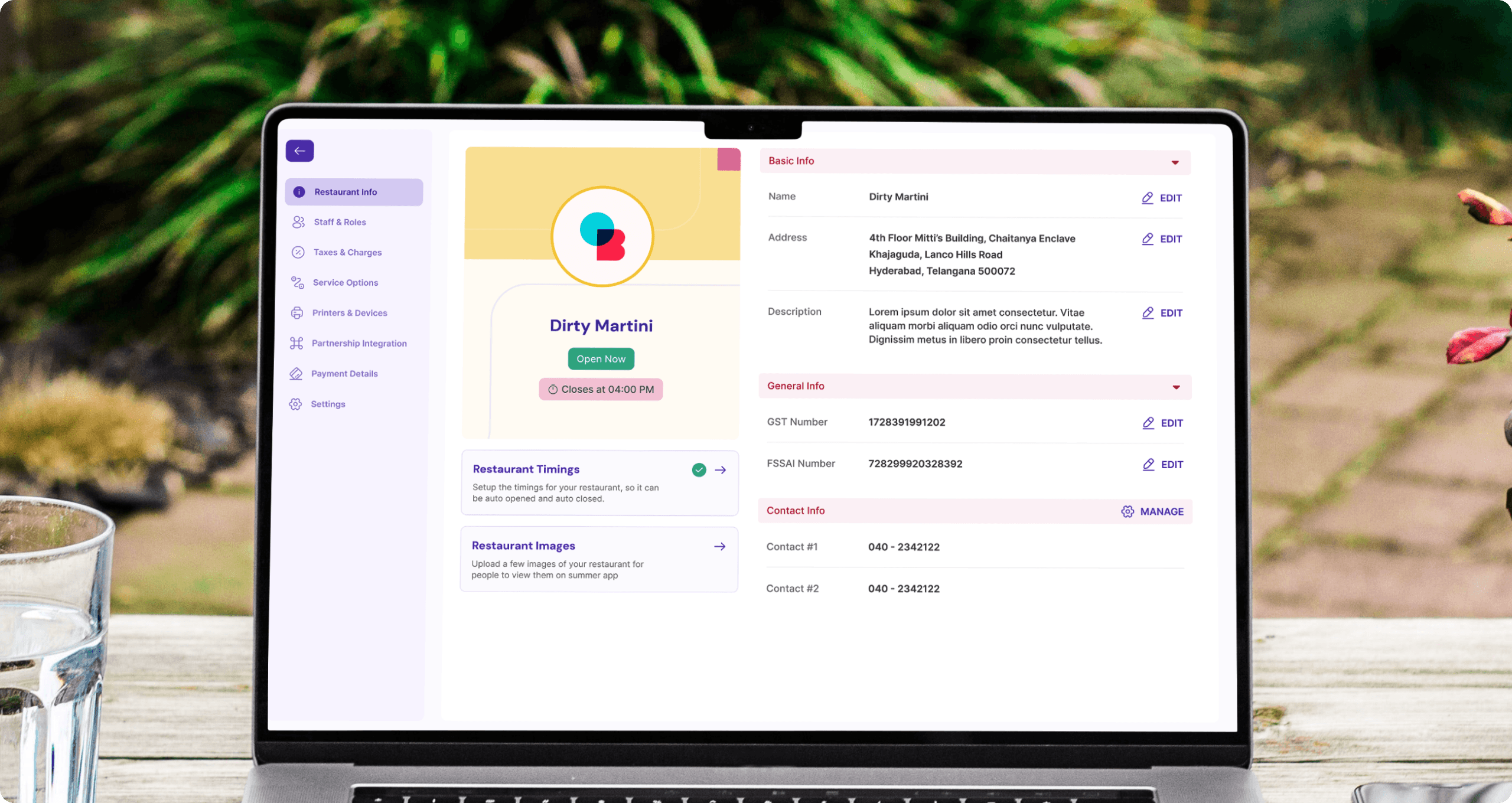
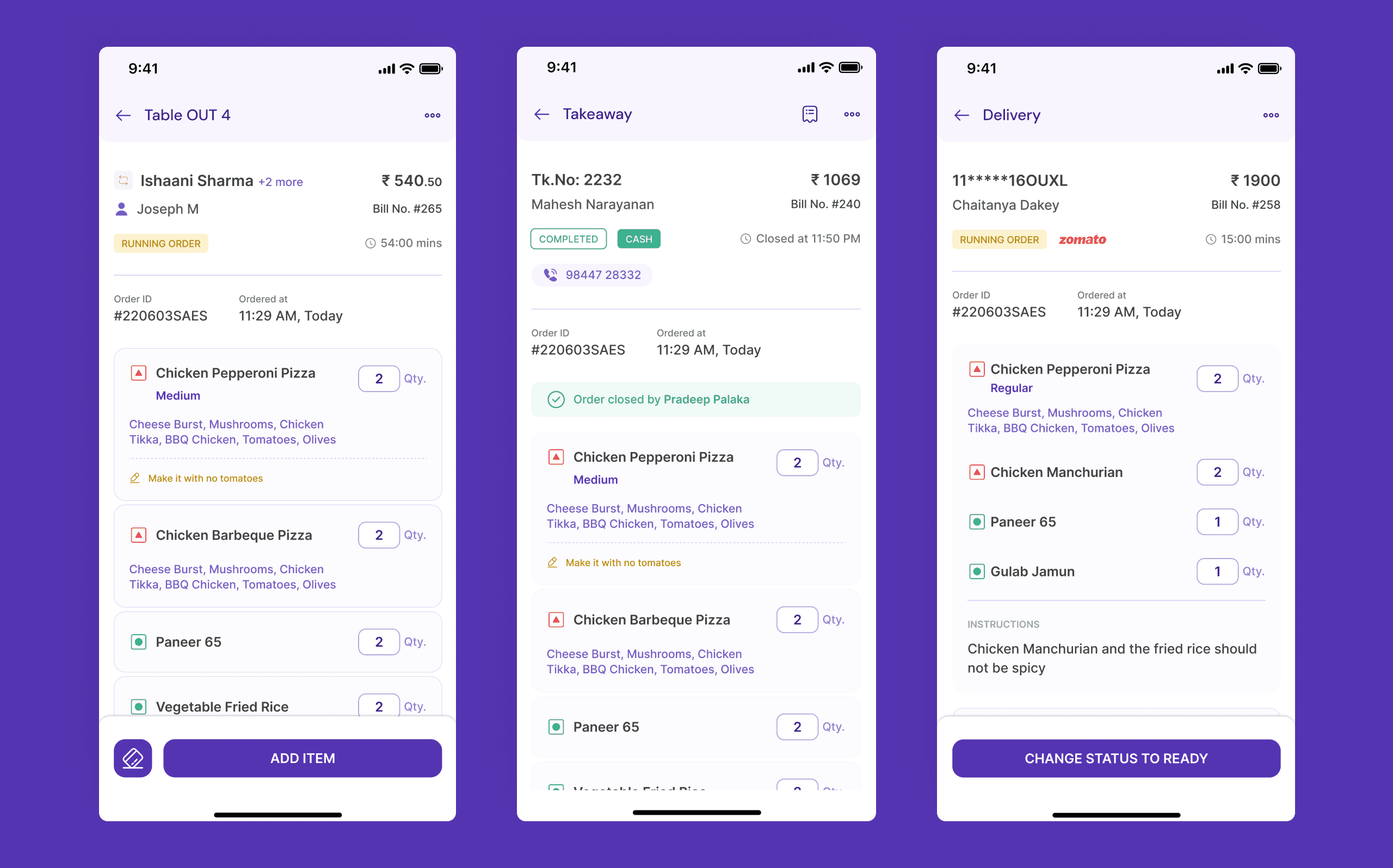
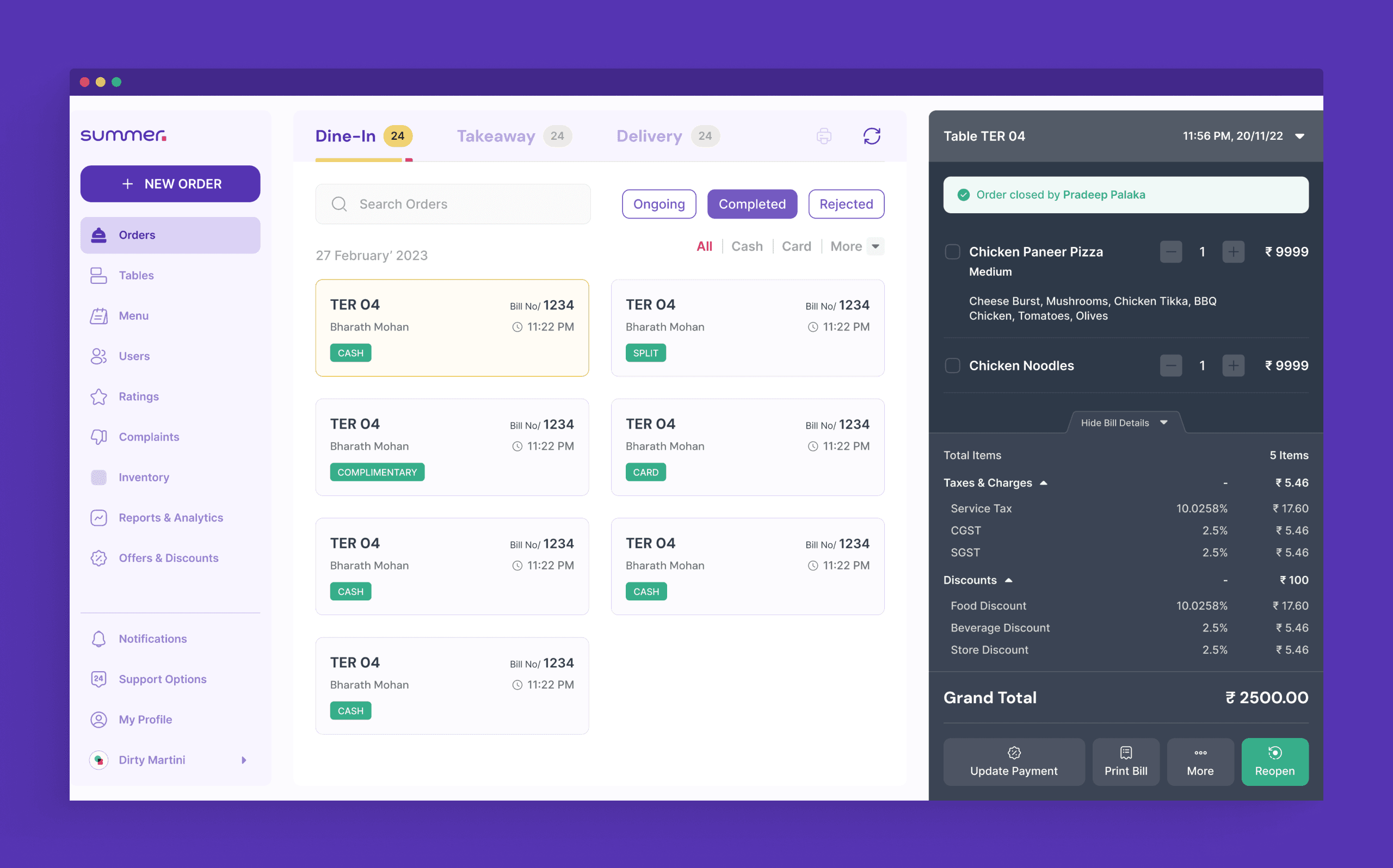
The order screens are pivotal to Summer's product, demanding clarity and efficiency for users to grasp essential information at a glance. Through iterative design, we focused on refining the sidebar to display only crucial details while concealing non-essential information.
Each iteration underwent rigorous user testing, extracting invaluable insights that guided us towards the final iteration. This iterative process ensured that the design maximized usability and prioritized user needs, culminating in an intuitive and streamlined interface for managing orders effectively.
01
Implementing chips to display critical information in all cards significantly improved data comprehension for managers. Whether it was payment mode or table status, this approach facilitated swift data assimilation, enhancing managerial efficiency.
02
Opting to disclose information only when necessary was a pivotal decision, ensuring users were not overwhelmed by irrelevant details. This streamlined approach minimized cognitive load and allowed users to focus solely on pertinent information.
03
Essential user actions were prominently displayed upfront, while less critical ones were tucked away in dropdowns or under "More Options," streamlining usability and enhancing the overall user experience.
07
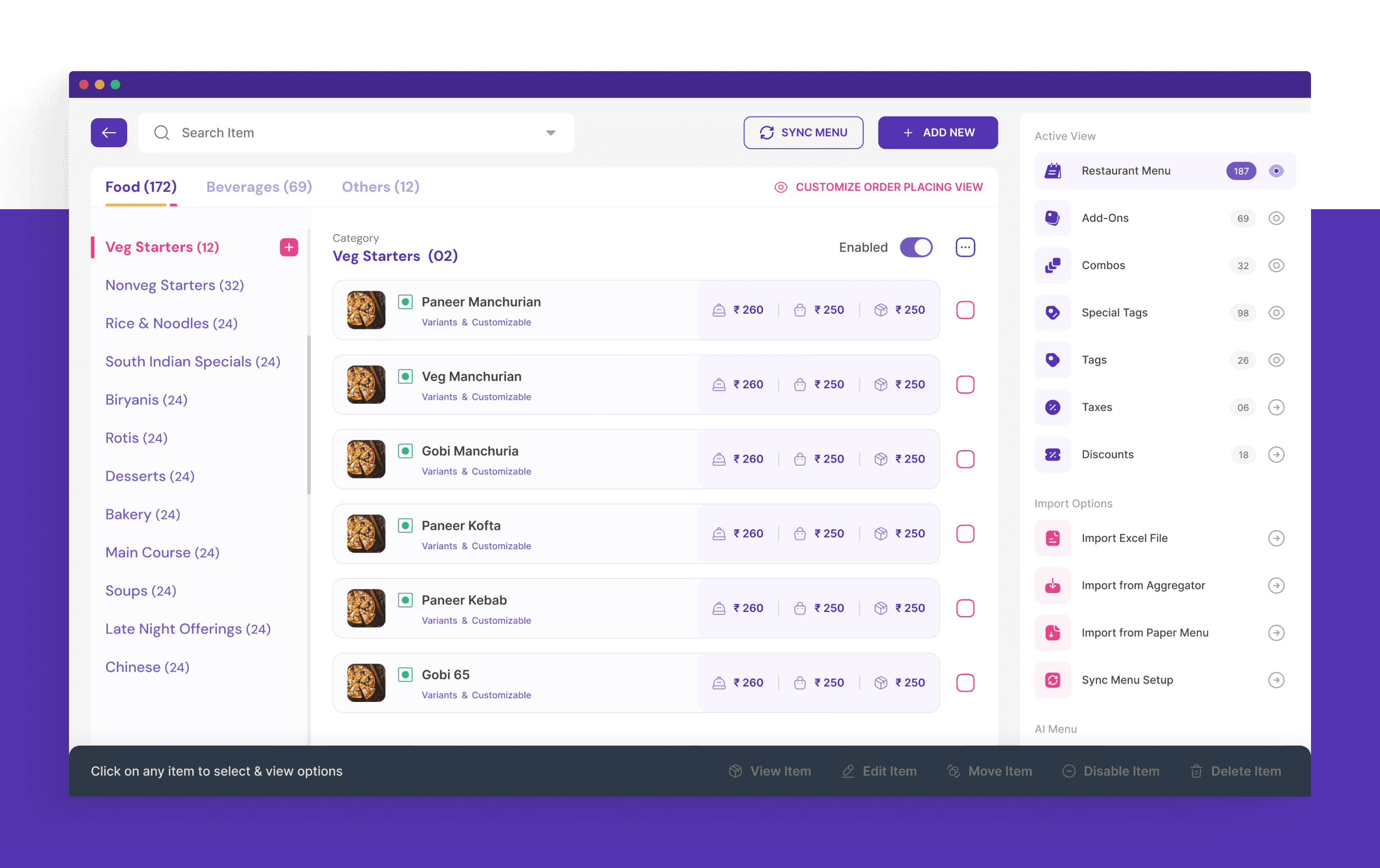
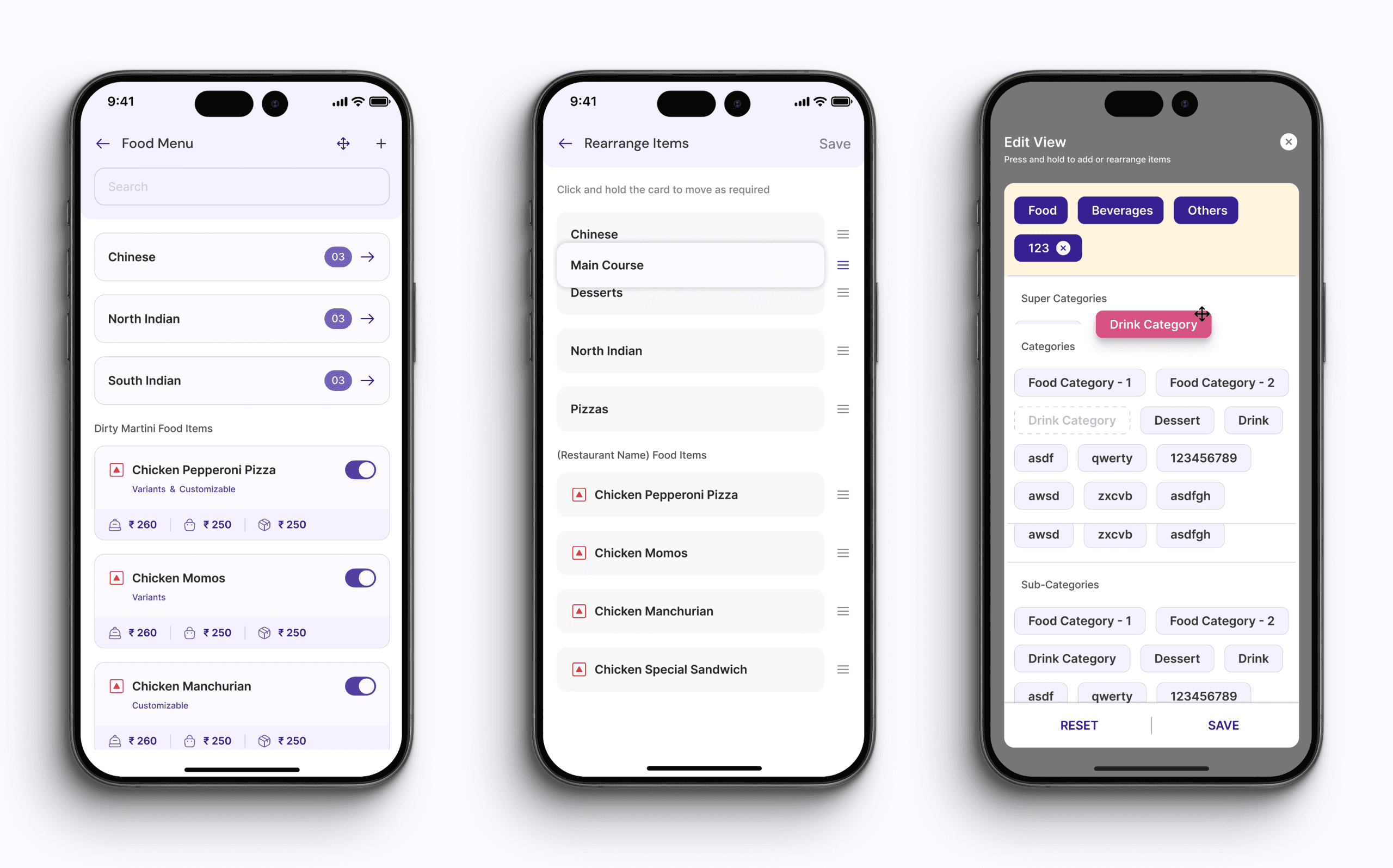
Creating the Menu
The menu module stands as the cornerstone of the product, pivotal for restaurants who frequently access and modify their menus throughout the day. Whether marking items unavailable or adjusting prices, its significance lies in its frequent and essential use in daily operations.
08
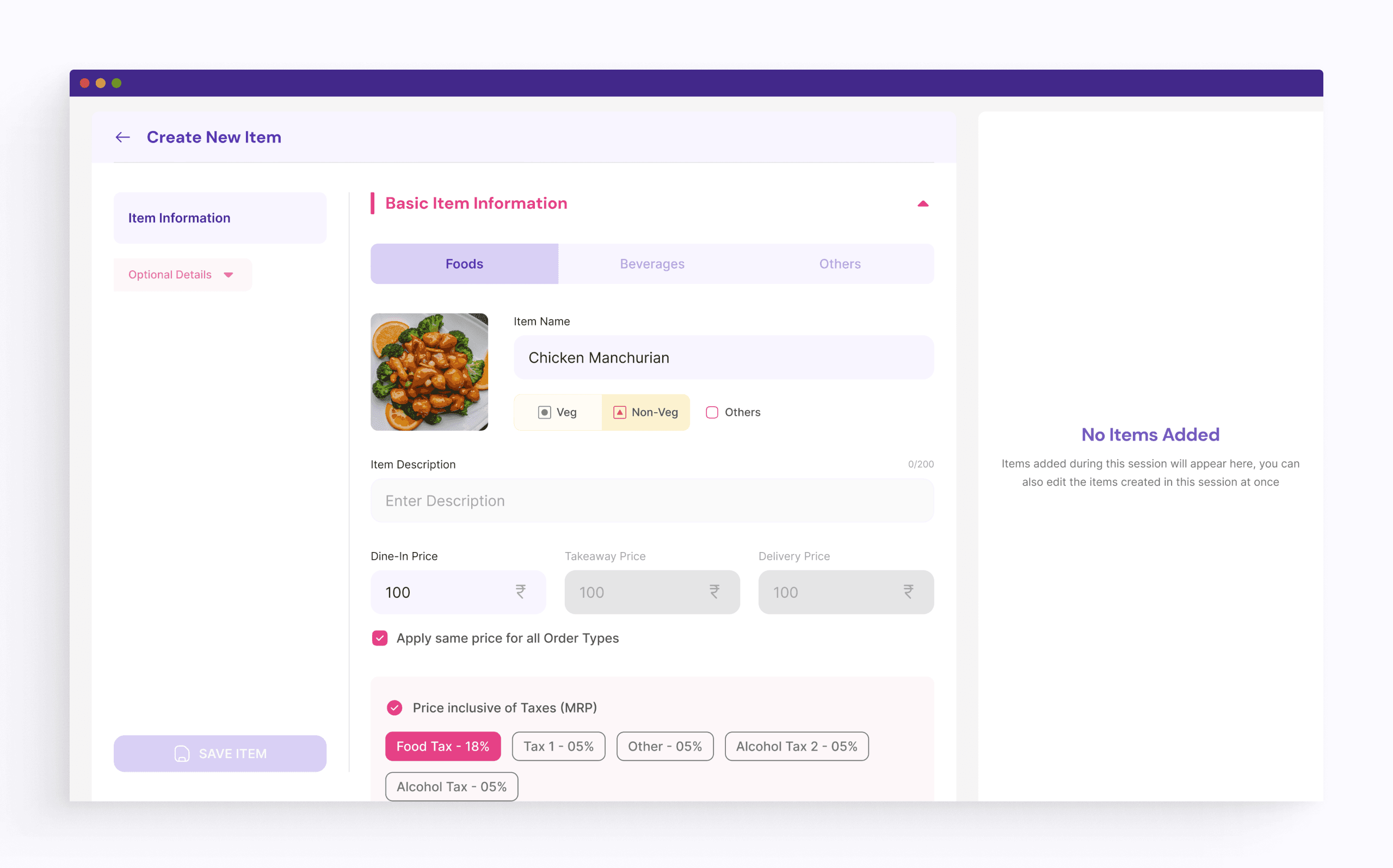
Creating an Item
Item creation is a pivotal aspect of the menu module. We developed various methods for creating items, including importing from an Excel sheet, syncing from online platforms, or creating from scratch on Summer. Our priority was ensuring each flow was effortlessly simple for users to complete with ease.
We prioritized desktop customization features for item creation based on user preference, while still offering limited options for mobile users.
09
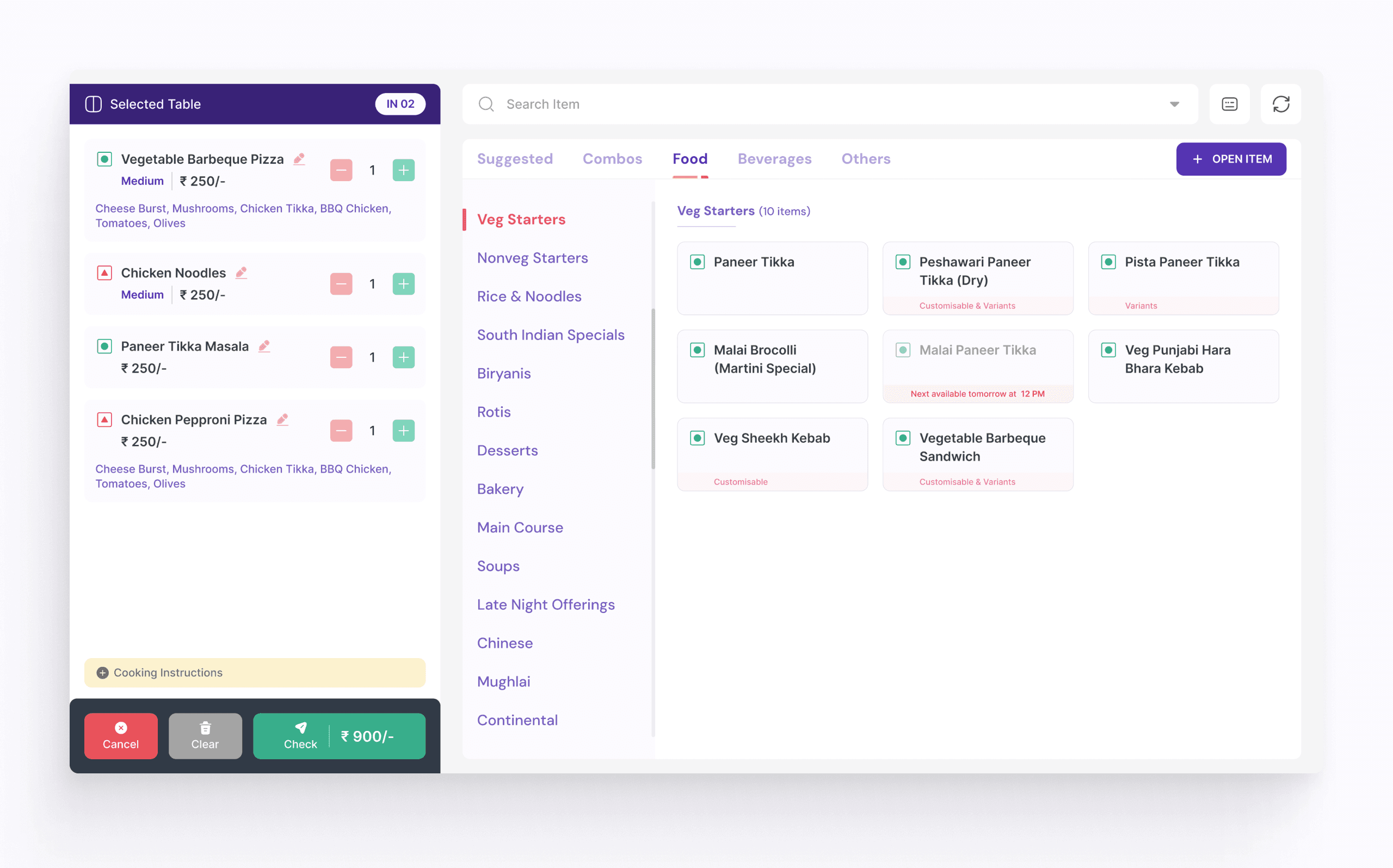
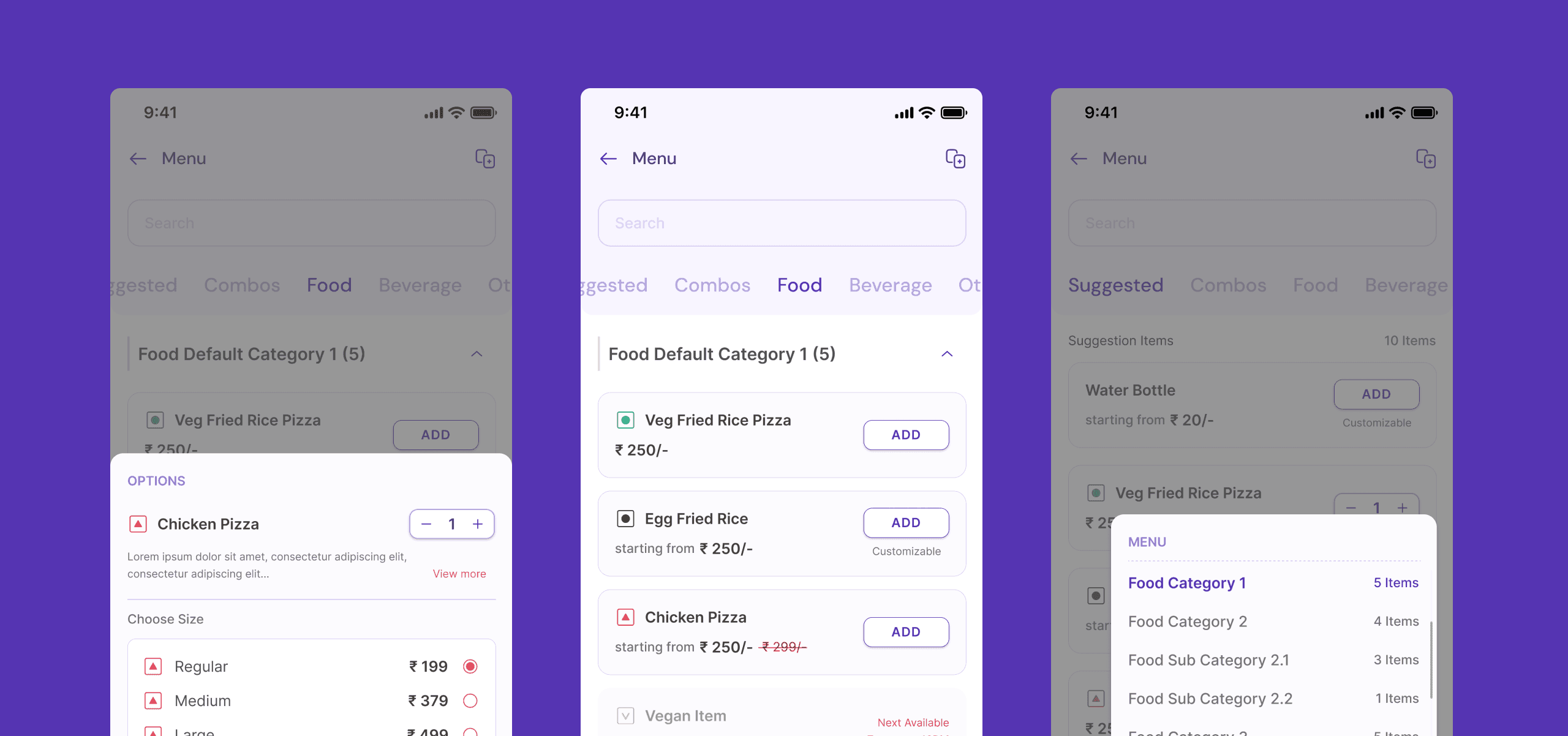
Order Placing
Order placing screens facilitate the order process, especially on mobile devices, which is the primary usage scenario for most restaurants. Our priority was to simplify the experience on mobile, considering the prevalence of this usage scenario among restaurants, even though desktop usage is tailored for smaller establishments with a single order counter.
10
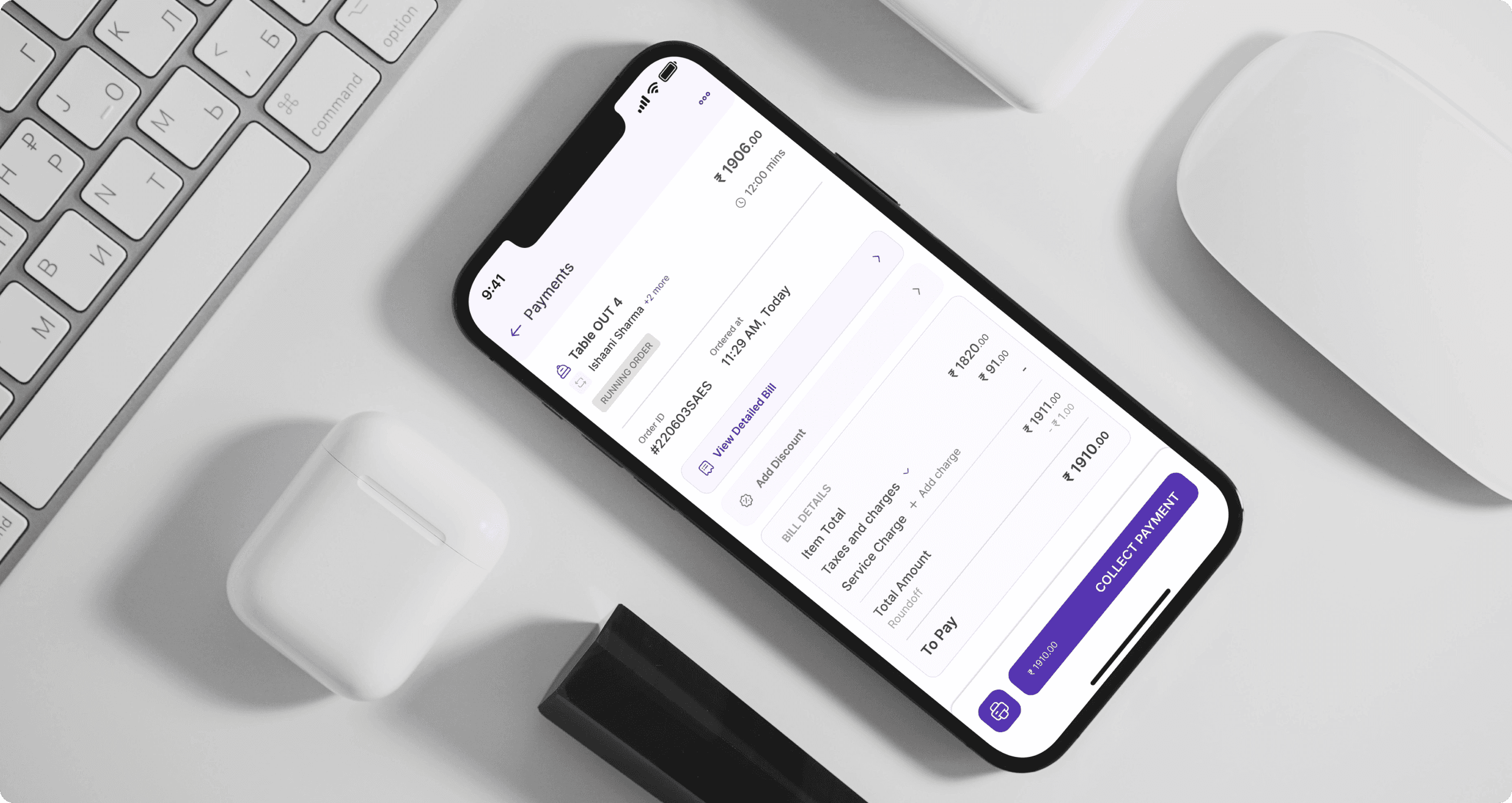
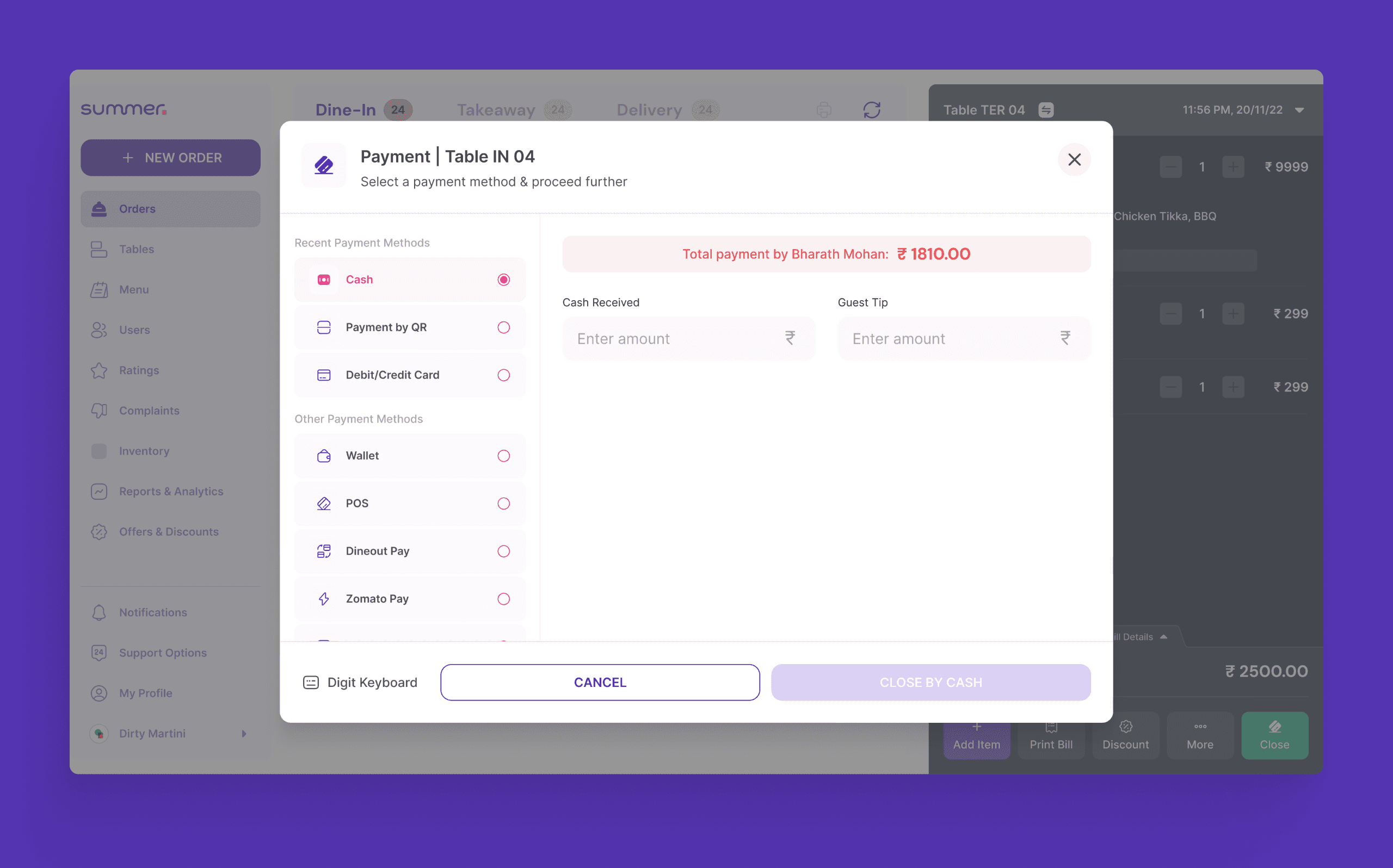
Payment Screens
The payment flows were designed to ensure seamless transactions and user experiences. The process begins with users selecting their preferred payment method. Upon selecting the desired option, users are guided through a secure checkout process, where they can review their order details before confirming the payment.
Once the payment is confirmed, users receive instant notifications and receipts for their transactions, providing transparency and peace of mind.
11
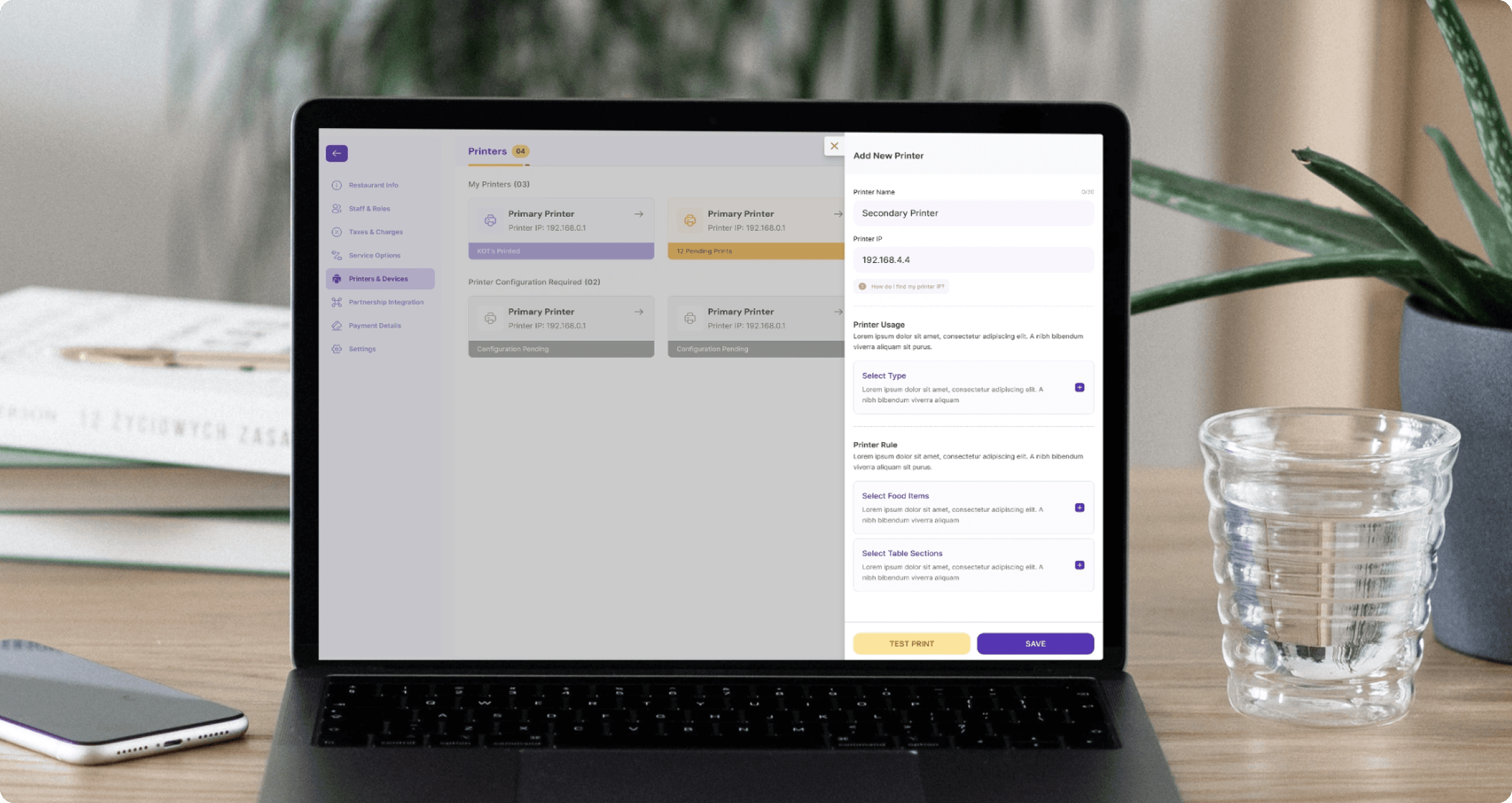
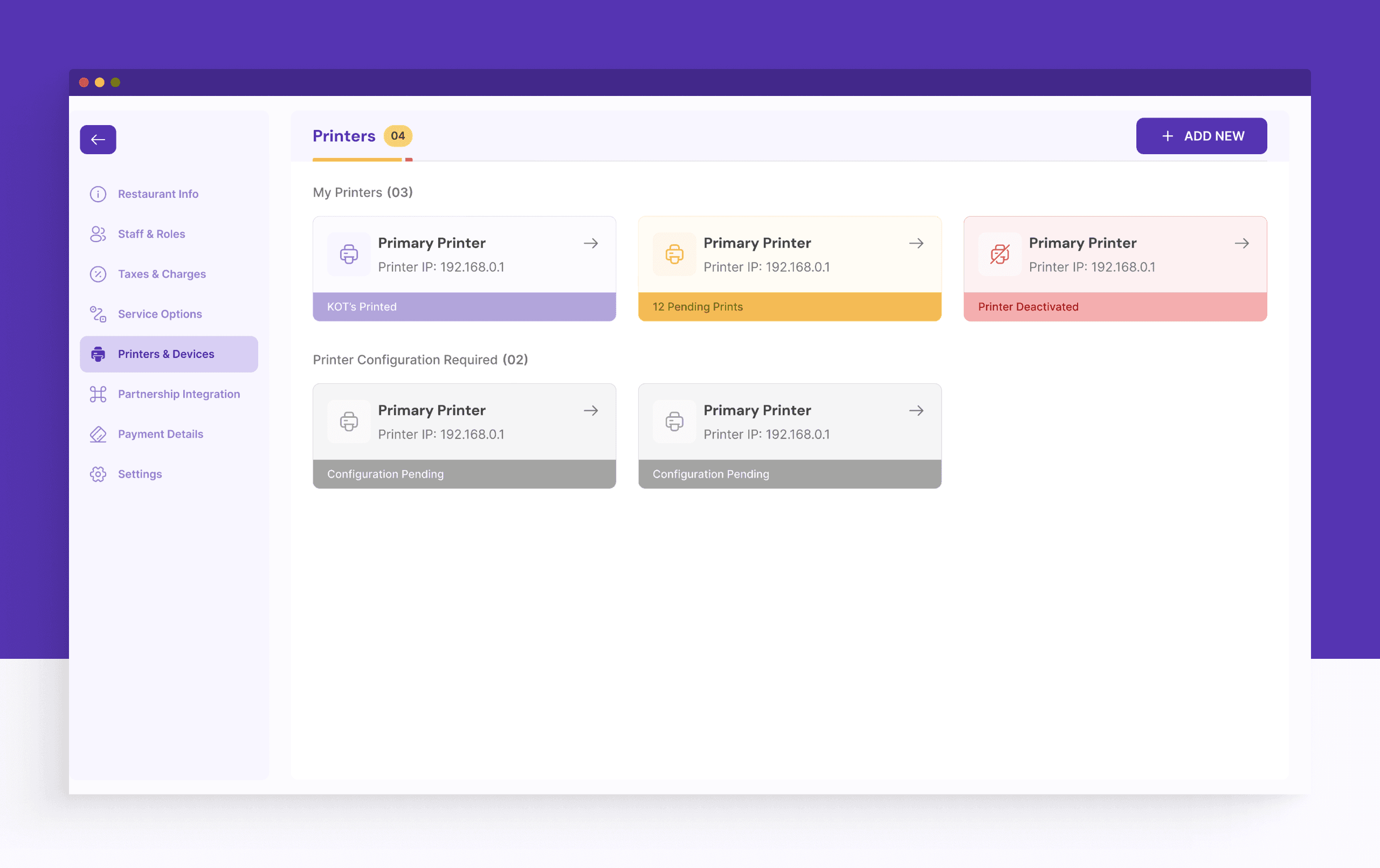
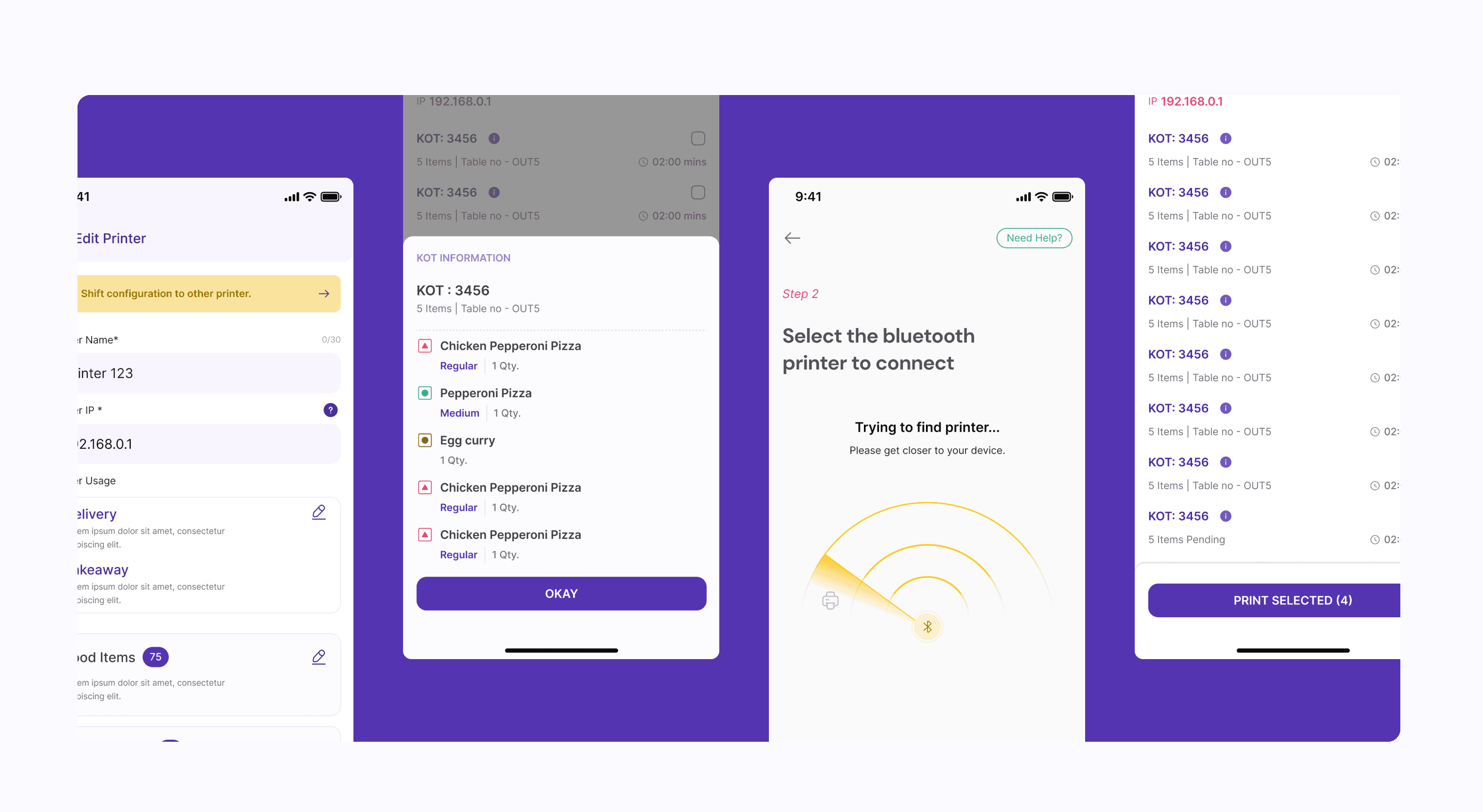
Hardware Linking
In restaurant operations, hardware linking integrates devices like printers and Kitchen Order Ticket (KOT) machines with the point-of-sale (POS) system. This synchronizes order processing, ensuring timely notifications to kitchen staff and accurate printing of receipts. Such integration streamlines operations, reduces errors, and enhances overall efficiency and customer experience.
12
Final Handover
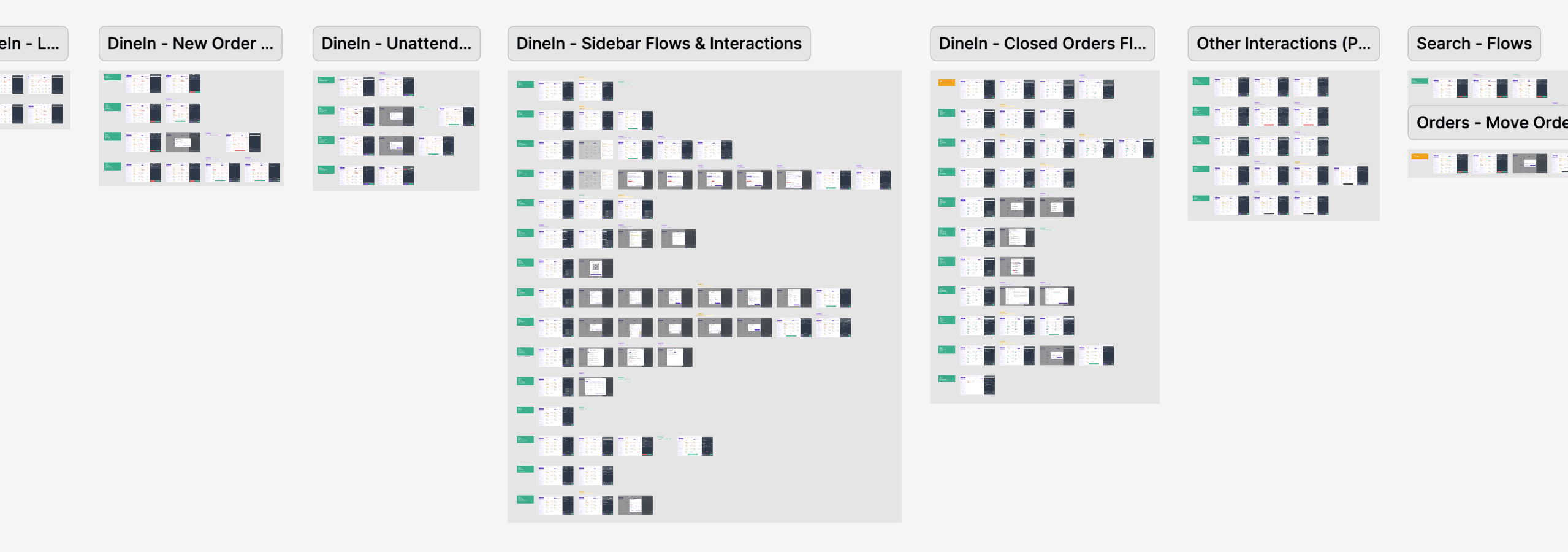
We meticulously crafted and delivered each individual flow to the client, complete with its unique interactions. Our work encompassed over 200 flows and more than 2000 screens, all meticulously designed within a comprehensive and well-managed design system.
The Results
01/
Beatiful User Interface
The comprehensive revamp of both desktop and mobile interfaces received high praise from Summer, particularly from their esteemed clients resulting in greater trust and loyalty towards the product and brand.
02/
Enhanced User Experience
The redesigned interface prioritizing functionality and efficiency, earned accolades for its seamless and intuitive user experience.
03/
Increased Efficiency
The new experience streamlined workflows and navigation, resulting in improved efficiency for users. Tasks that previously required multiple steps or were cumbersome to perform became more intuitive and faster, allowing users to accomplish their goals with ease.
IMPACT CREATED
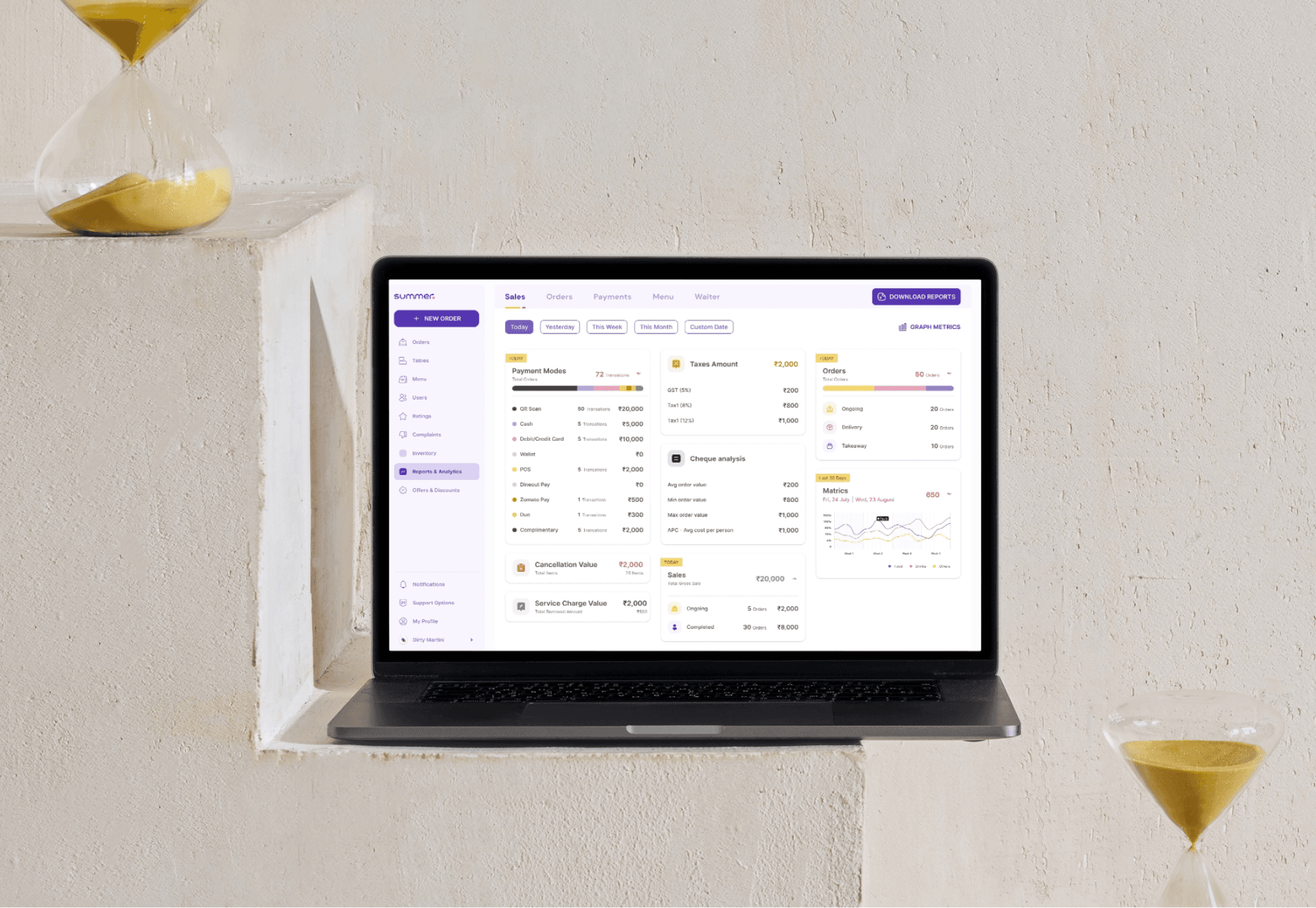
Summer has emerged as a trailblazer in the restaurant POS software market, particularly in Hyderabad, with plans for nationwide expansion underway. Renowned for its intuitive and visually modern product design, Summer has garnered acclaim for its innovative approach. Currently serving over 1000 restaurants, Summer's journey towards nationwide dominance is only just beginning.
Don't hesitate to say hi, let's talk about your design needs
Next project
Product Design
/
Summer
/
2022-2023
Summer
Managing a restaurant,one order at a time
Roles & Contributions
Project Lead
Experience Design
Visual Design